
 Join the beta
Near You
See noteworthy activity, status totals, leading categories, and nearby 311 trends across your search area.
A clearer view of your DC
DC Pulse brings nearby 311 requests, building permits, and DDOT construction permits into one approachable, map-forward view of your neighborhood.
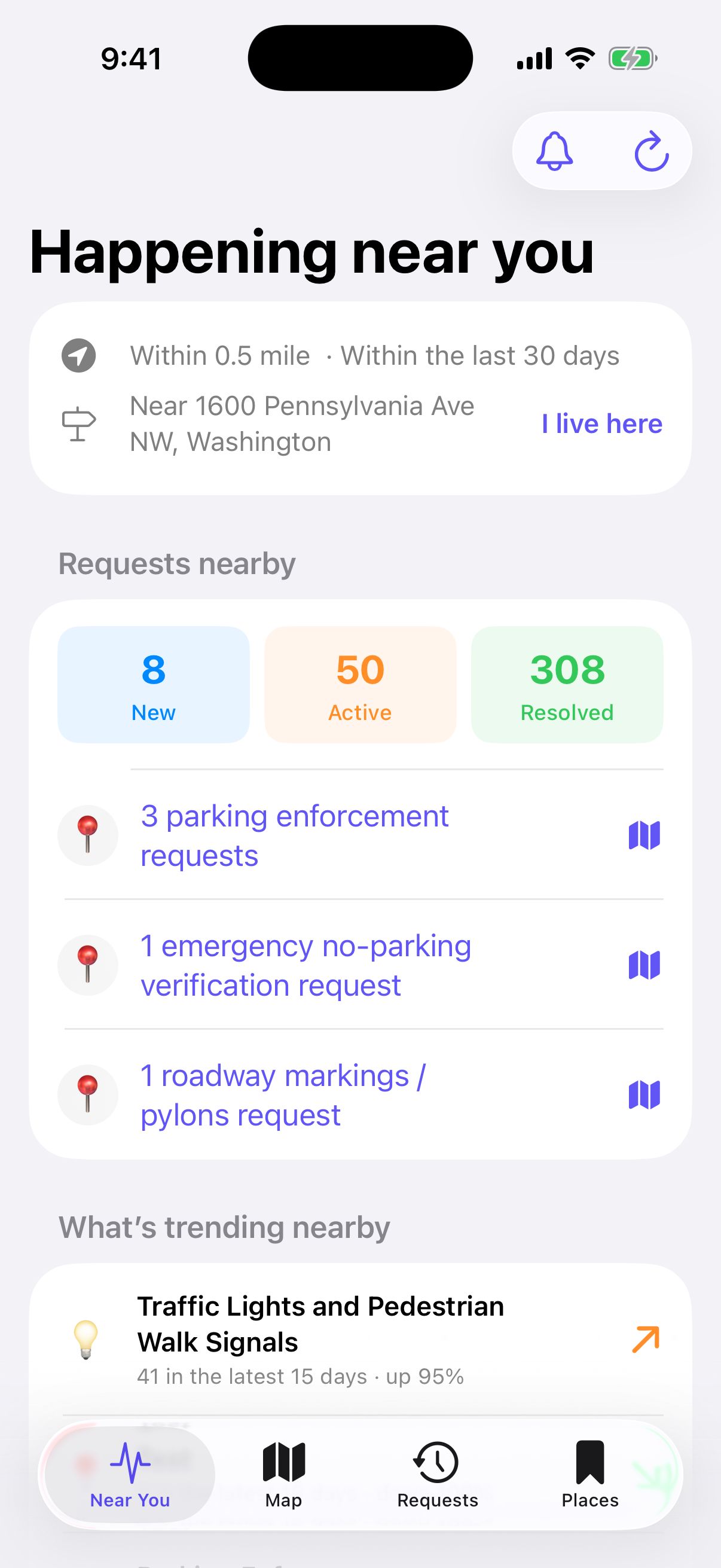
Start with a quick overview, explore the map, browse the timeline, or return to any place and public record you follow.
See noteworthy activity, status totals, leading categories, and nearby 311 trends across your search area.
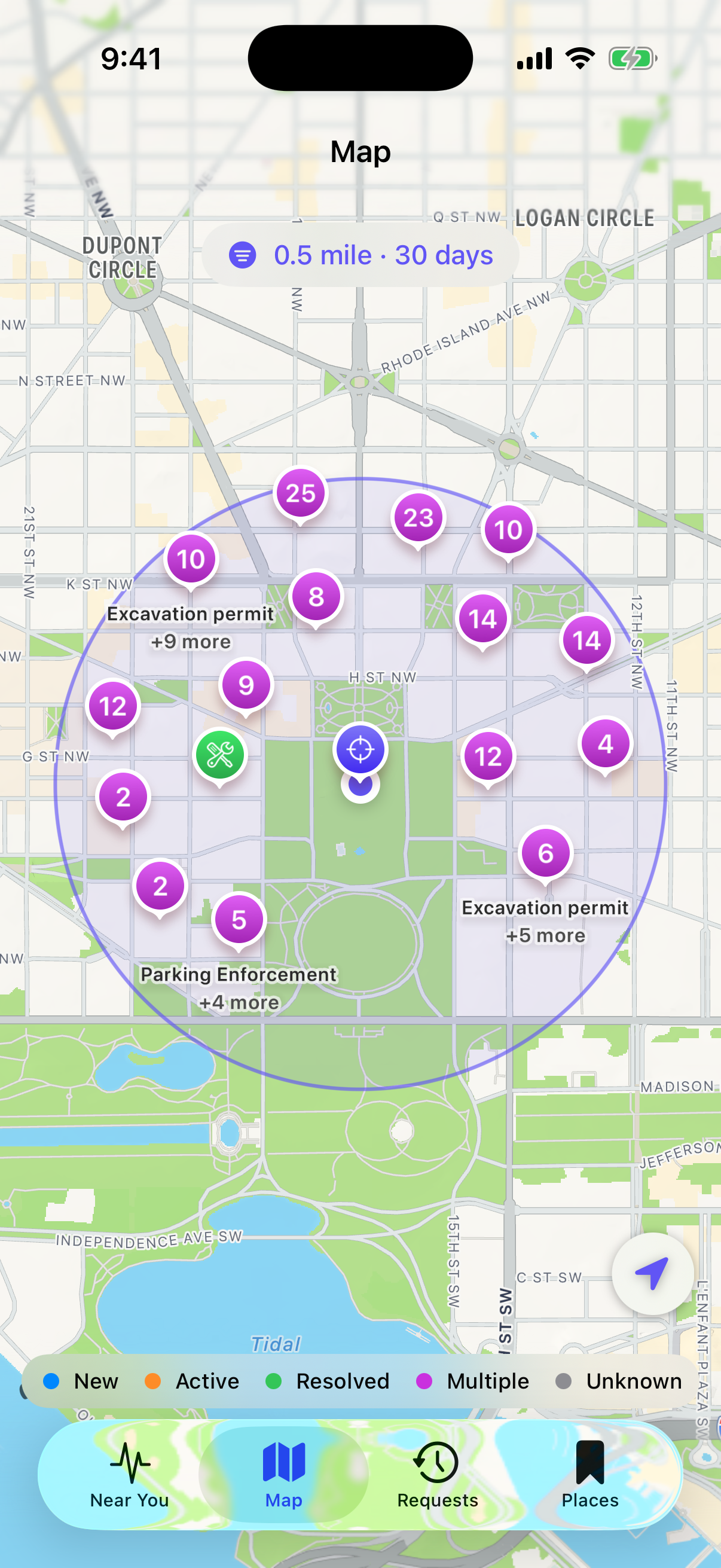
Explore 311 requests, building permits, and DDOT construction permits with clustering and source-aware filters.
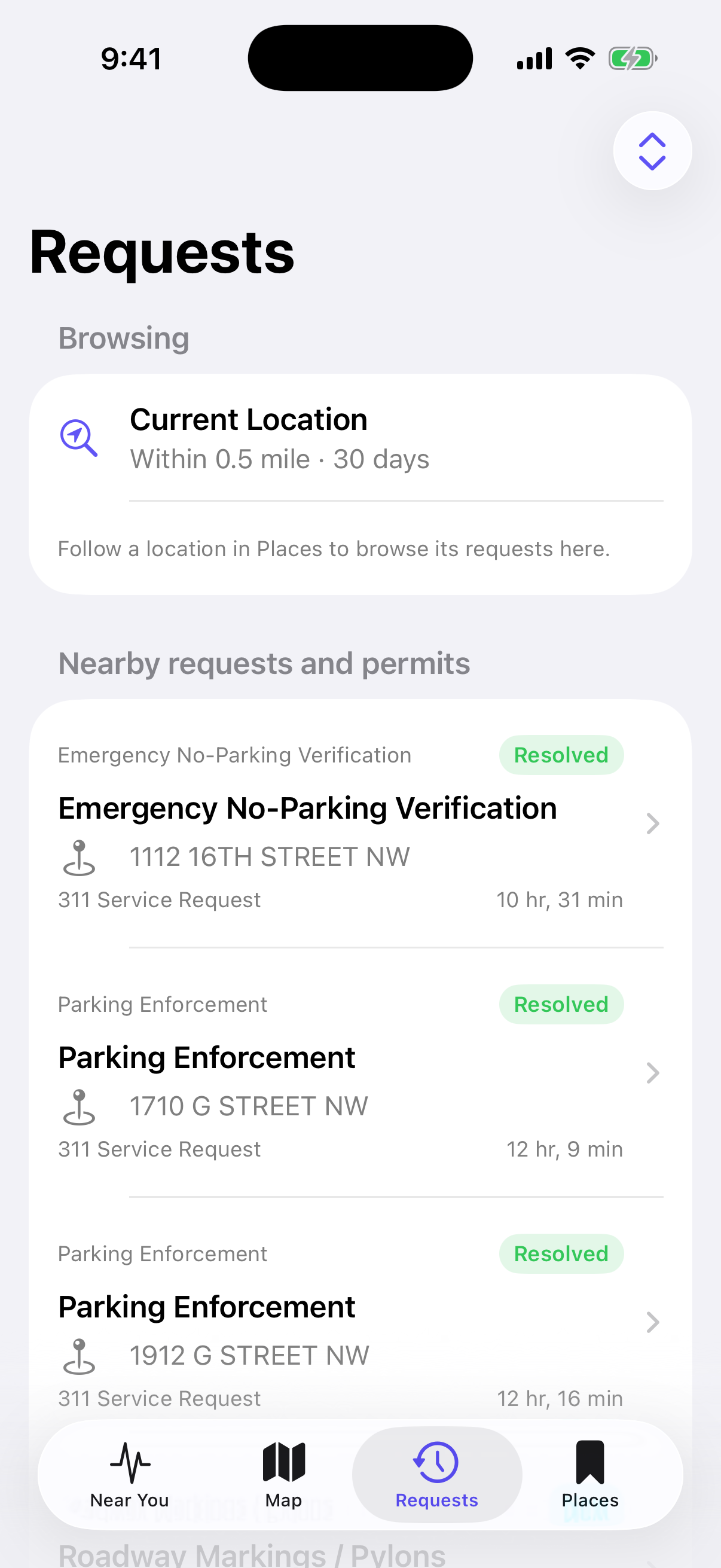
Browse a chronological, sortable list of requests and permits for your current search or any place you follow.
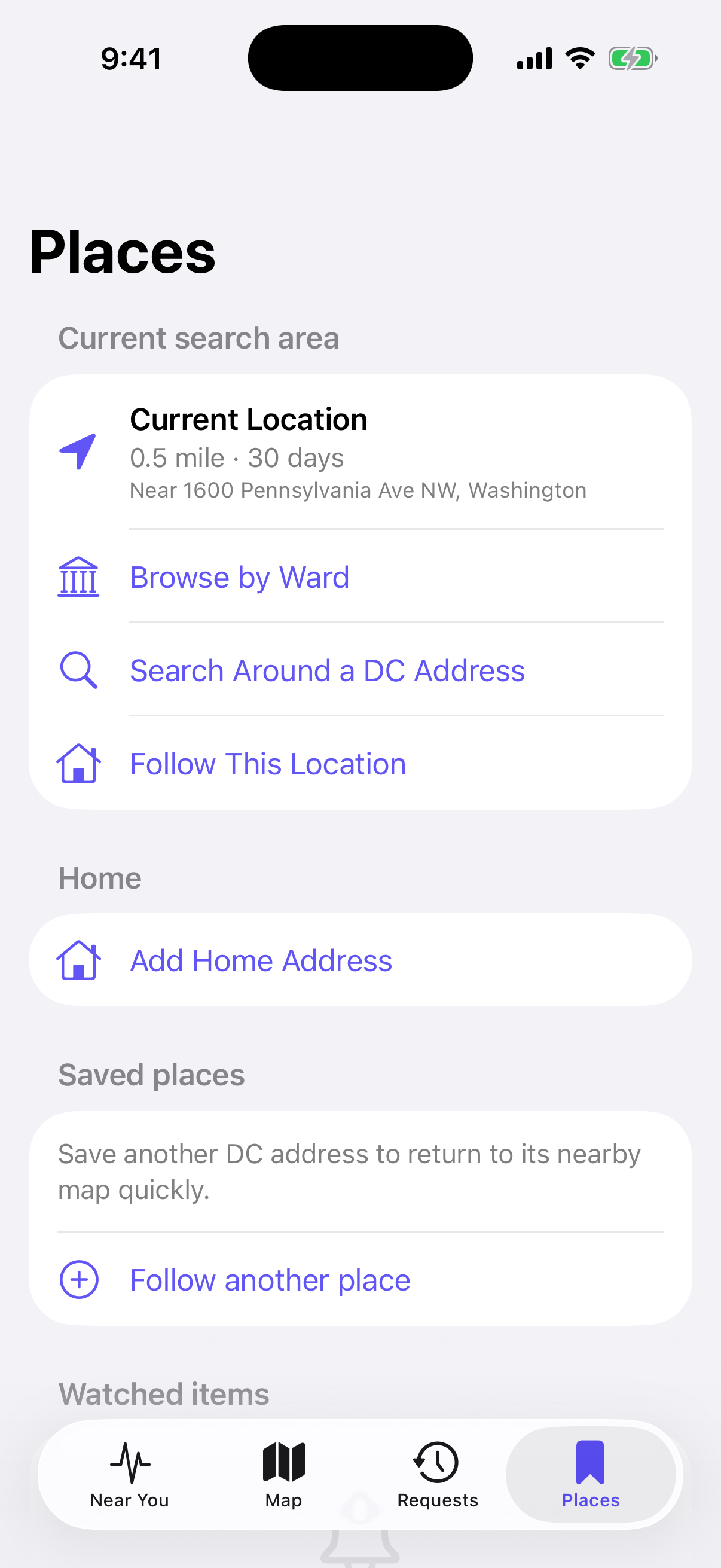
Save Home, follow additional DC addresses, and keep watched requests and permits close at hand.
EXPLORE DC PULSE
Move from a neighborhood overview to the map, Requests, and the places that matter to you.
Your neighborhood at a glance
See noteworthy activity, status totals, leading categories, and nearby 311 trends across your search area.
Explore by location
Explore 311 requests, building permits, and DDOT construction permits with clustering and source-aware filters.
Clear, useful details
Browse a chronological, sortable list of requests and permits for your current search or any place you follow.
Your home stays close
Save Home, follow additional DC addresses, and keep watched requests and permits close at hand.
Close-in and selected-radius searches load independently, then merge into one map with visible progress and a one-tap filter reset.
Watch individual requests and permits, then revisit category-aware alerts and the affected record from an on-device inbox.
Copy an individual public field, a concise detail summary, or the context needed when reporting a possible permit violation.
Copy an exact public request ID and continue to DC 311 with honest paste-and-search guidance—without pretending a fragile deep link exists.
Start with a photo, review an on-device category suggestion, and continue to the official DC 311 app or website to submit.
Find support, privacy, source code, MIT terms, public-data attribution, and the installed app version directly in DC Pulse.
The DC Pulse iPhone app does not send or store personal or location information on DC Pulse servers.
DC Pulse has no account system, advertising SDK, or developer analytics.
Your selected coordinate, radius, and time range go directly to DC’s ArcGIS services to return nearby records—not to a DC Pulse server.
Home, followed places, watched items, preferences, and the notification inbox remain on your iPhone.
311 draft photos are analyzed on-device. DC Pulse does not read their location metadata or upload them during analysis.
System notification previews omit street addresses. Useful public-record detail remains available inside the on-device inbox.
The website stores the email and message you submit and sends them to the support team only so your request can be reviewed and answered.
DC Pulse is an independent community project, released under the MIT License. Its source code, architecture, data mappings, privacy decisions, roadmap, and issue tracker are open for anyone to inspect.
View DC Pulse on GitHubNo account system, advertising SDK, analytics SDK, or custom app backend. Saved places, watches, preferences, and alerts stay on your iPhone.
Review the ArcGIS source contracts, normalization boundaries, known limitations, architecture, and release roadmap directly in the repository.
Open a non-sensitive issue, suggest an improvement, or read the project guidelines before proposing a focused change.
DC Pulse is available to try through Apple’s TestFlight service and is not yet publicly available in the App Store. Reliability, accessibility, and clear public-data presentation remain the focus.
Get help with DC Pulse, report a problem, share feedback, or suggest an improvement. Visit the dedicated support page anytime.
DC Pulse is available as a public TestFlight beta for iPhone. Use the Join the beta button to install it through Apple’s TestFlight app.
DC Pulse currently combines nearby DC 311 service requests, 2026 Building Permits, and 2026 DDOT Construction Permits.
Building Permit records are published by the DC Department of Buildings through DC Open Data and DC GIS.
These public records describe transportation and public-space work such as excavation, paving, fixtures, landscaping, and public-space rental. They are published by DDOT through DC Open Data and DC GIS.
No. Location access is optional. You can search around a DC address or browse by ward instead.
Yes. Filter by data source, status, category, time range, and radius. You can also move the map and search the area in view.
Yes. The Map and Requests views allow you to filter by data source.
Some public records do not include a valid geocoded location. Those records may still appear in Requests but cannot always be placed accurately on the map.
No. DC Pulse helps you explore public records. It does not create, manage, or resolve requests, and it does not issue, approve, manage, or verify building permits.
Yes. A photo-assisted draft can suggest a broad 311 category on your device, let you review every detail, and then open the official DC 311 portal. DC Pulse does not submit the request for you.
Yes. From a 311 item, DC Pulse can copy the exact public request ID and open the official DC 311 service. You paste or search for the ID there; DC Pulse does not claim an unverified record-specific link.
You can watch individual records or automatically watch new nearby activity around Home. DC Pulse checks for changes when fresh data is loaded, keeps an on-device notification inbox, and offers optional local alerts. Reliable remote push delivery is not yet available.
Report a problem, ask a privacy question, or share feedback about the TestFlight beta from the dedicated support page.
DC Pulse currently brings together:
Data availability, accuracy, categorization, geocoding, and update timing depend on the source datasets. Some permit records may lack usable map coordinates and can appear in Requests without an accurate map position.
DC Pulse does not create, manage, or resolve 311 requests, and does not issue, approve, manage, or verify permits. Reporting actions open the appropriate official government service.
The verified source endpoints, field mappings, and known limitations are documented openly on GitHub.
THE CITY IS ALWAYS CHANGING.